


FamilySearch Tree
4.46.13K Reviews
App Specs
- Version
- 5.4.5
- Updated On
- License
- Free
- Downloads
- 10,000,000+
- Developer
- FamilySearch International
- Categories
- Books & Reference
- Platform
- Android, iOS
Screenshots


 Analysis by AppCompare
I find FamilySearch Tree most useful when I treat it as a working notebook for family research rather than a magic answer machine. A name in a tree is only a starting point: the rewarding part is checking how people connect, gathering evidence, and recording the stories relatives can still tell. That makes this Books & Reference app a good fit for curious beginners and for experienced researchers who want to keep family details close at hand.
A steady way to build a family line
When I begin with a relative whose details I know, I work outward one relationship at a time. I add what I can support, then use the record search to look for clues that might confirm or complicate the next link. That simple rhythm helps avoid a common genealogy trap: accepting a plausible match because the name or place looks familiar. I prefer to keep uncertain connections as questions to investigate instead of letting them quietly become facts in my own notes.
A practical everyday use is to open the app while talking with an older relative. Rather than trying to remember every detail afterward, I can capture a story, photo, or audio memory while the person and the context are right there. I would still ask permission before recording or sharing anything personal, and I’d label memories clearly so a future reader can tell a firsthand recollection from a detail found in a document.
What to check before research gets busy
Before adding a lot of people, I recommend deciding how you will handle names, dates, and uncertain information. A person may have used different spellings or names at different points in life, and a family story may be approximate rather than exact. Keeping your own notes consistent makes later comparisons easier, especially when relatives contribute details from memory. The app can help bring research together, but careful judgment still belongs to the researcher.
It also helps to think ahead about privacy and collaboration. A shared tree can make it easier for relatives to pool knowledge, but family material may include details that some people would rather keep within a small circle. I would discuss what is appropriate to add before uploading sensitive photos or recording personal stories. That small conversation can prevent an enthusiastic research project from becoming an awkward family one.
Shortcuts that improve the quality of a search
When a record search produces several plausible results, I compare more than the name. I look at the relationships and details around the person, then ask whether the result fits what I already know about that branch. A good habit is to make a short list of what would distinguish one candidate from another before searching again. This turns browsing into a focused check instead of a long scroll through names that merely look promising.
I also get more from the app when I pause to preserve context. A photo without a name, date, or explanation can become a mystery for the next generation, so I add a useful description when I have one. For audio, a brief introduction about who is speaking and what they are recalling can make the recording easier to understand later. These small habits take a moment now and can save relatives from guessing later.
Worth Reading Before You Choose

Flipboard Shows What News Apps Must Do Beyond the Feed

Switching to Android Auto Means Rethinking Your Driving Routine

Google Calendar Makes a Crowded Week Easier to Manage

Ludo King Makes the Most of the Minutes Between Plans

Baby Panda World Brings Quick Play to Modern Phones, but Its Game Library Feels Busy

ESPN’s Live Game View Makes Following Close Games Easier
Where a mobile tree has limits
A phone is excellent for quick searches, family conversations, and capturing memories, but it is not always the best place to compare a large set of records or organize a complicated research problem. If I am weighing several people with similar names, I may want a larger screen and a separate research log where I can lay out evidence side by side. The app works best as a convenient companion to careful research, not as a replacement for thinking critically about sources.
FamilySearch International develops this free genealogy app. It has a 4.4 average from around 53,000 ratings, and it has been installed over 10 million times. The Everyone age rating makes it suitable for a broad audience, though families should still use their own judgment about sharing personal information. Version 5.4.1 is listed for devices running OS 10 or later, so checking compatibility before installing can save time.
Discovering Your Ancestry with Ease
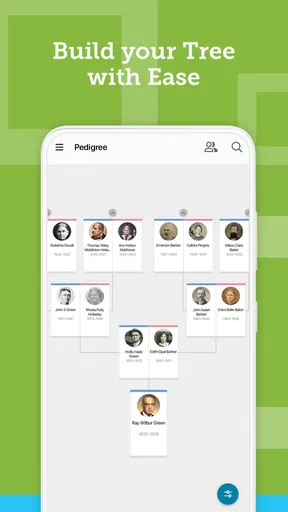
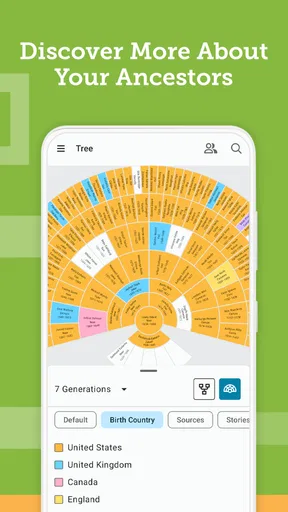
The first thing I noticed about FamilySearch Tree is its user-friendly interface. It’s designed to make your journey into the past as smooth as possible. Whether you’re a seasoned genealogist or a curious newbie, navigating the app is a breeze. You can easily add new family members, upload photos, and even record audio memories. It’s like having a personal historian right in your pocket.
Features That Stand Out
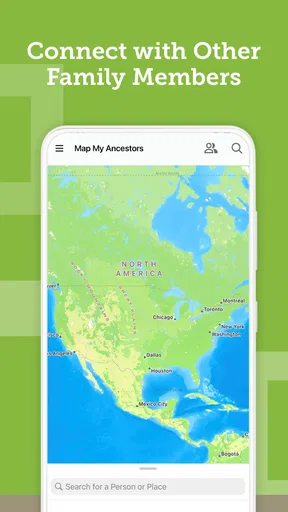
One of the standout features of the app is its collaborative nature. You’re not just working in isolation; you can connect with other family members to build a shared family tree. This means you can pool resources, share discoveries, and even uncover family stories you never knew existed.
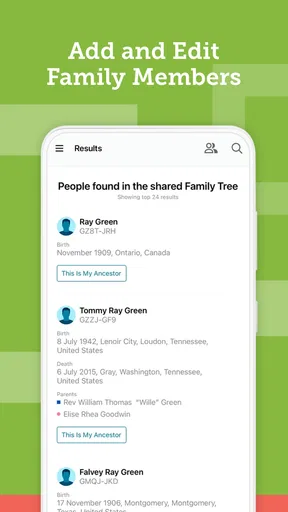
Another neat feature is the integration with historical records. With a few taps, you can search through millions of documents, including birth certificates, marriage licenses, and more. This is a goldmine for anyone looking to add depth to their family history.
Why It’s a Game Changer
What truly sets FamilySearch Tree apart is its commitment to making history accessible. The app is free to use, which is fantastic for those of us who want to explore our lineage without breaking the bank. Moreover, it’s available in multiple languages, making it accessible to people all over the world.
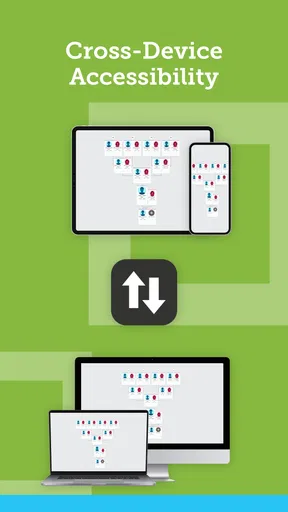
And let’s not forget about the mobile-friendly design. Whether you’re on a smartphone or tablet, the app runs seamlessly. This means you can carry your family tree with you wherever you go, ready to whip out at family gatherings or while hitting the local archives.
Personal Touches
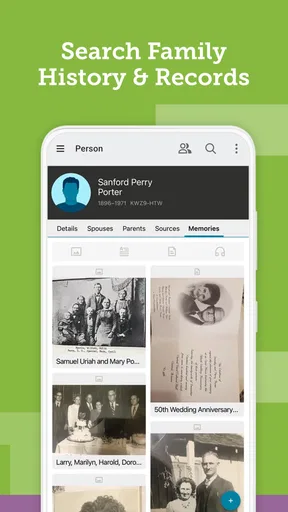
I personally love the ability to add personal stories and photos. It’s more than just names and dates; it’s about preserving the essence of our ancestors. You can even attach audio recordings, which adds a richer, more personal dimension to your family tree. Imagine hearing your grandmother narrate her life story — it’s like preserving a piece of living history.
For someone beginning with little more than a few names, the shared-tree approach can be especially helpful: relatives may recognize people, supply a photograph, or correct a family story that has been repeated loosely over time. I would make changes carefully and keep a note of why I believe a connection fits. When contributions differ, the conversation is often as valuable as the edit; a disagreement can reveal that two branches have been blended in family memory.
This is also where the app differs from a private spreadsheet or a standalone family-tree maker. A spreadsheet gives me control over formatting and is useful for tracking evidence in a custom way, while a dedicated tree tool can be better for presenting a polished chart. FamilySearch Tree’s appeal is its combination of a shared family structure, mobile access, and record searching in one place. If collaboration and discovery matter more than owning a private, fully customized workspace, that balance may suit you better.
Who will get the most from it
I would recommend it to someone who wants to begin exploring family connections without paying for an app, to relatives who enjoy contributing memories, and to researchers who often need to check a name or record away from a desk. It is particularly handy at a family gathering: one person can ask about a photograph, another can share a recollection, and the details can be captured before they are forgotten. The app gives that conversation a practical destination instead of leaving everything in scattered messages and notebooks.
On the other hand, I would not choose it as my only research tool if I needed a highly private personal archive, extensive custom evidence analysis, or a large-screen workspace for comparing many documents. Nor is it ideal for someone who wants an instant, unquestioned answer about ancestry. Genealogy depends on weighing sources, and a record that appears to fit still needs context. A desktop research setup or a private file system may be a better partner for those needs.
Small habits that make family research easier
One repeatable habit I like is to end each short research session with a note about the next question, such as which place name needs checking or which relative might know more. That makes it easier to return without repeating searches or losing the thread. I also separate what a document says from what a relative remembers; both can be useful, but they are different kinds of evidence and should not be casually merged.
Another useful routine is to capture the source context while a record is open, rather than relying on memory later. A name alone rarely explains why I accepted a match. I ask what details line up, what remains uncertain, and what would disprove the connection. This modest discipline is more valuable than adding names quickly, especially when several people in a family share similar names.
What to expect when you start
The app is free, and FamilySearch International focuses it on family-history research rather than general-purpose note-taking. It sits in the Books & Reference category, with a 4.4 average from around 53,000 ratings and over 10 million installs. It was released on July 15, 2014, and the current version is 5.4.1 for OS 10 or later. Its Everyone rating makes it broadly suitable, though I would still use care when deciding what personal family material to share.
If you are wondering whether you need a complete family tree before opening it, you do not: starting with a few known relatives gives you a manageable first step. If you are asking whether a record result proves a relationship, I would treat it as a lead to evaluate, not proof by itself. And if you want to know whether it can replace all other research methods, my answer is no. It is strongest as a portable place to build and explore a family tree, while careful source comparison and private working notes can still belong elsewhere.
Final Thoughts
In my opinion, FamilySearch Tree is a fantastic tool for anyone interested in genealogy. It’s comprehensive, easy to use, and offers a range of features that make exploring your family history both fun and insightful. Whether you’re just starting out or have been researching for years, this app is a valuable companion on your genealogical journey.
So, if you haven’t already, give FamilySearch Tree a try. Who knows what fascinating stories you might uncover about your ancestors? Happy exploring!
Pros
- User-friendly interface for easy navigation.
- Comprehensive family history database access.
- Collaborative features for family input.
- Free to use with no hidden fees.
- Multi-language support for global use.
Cons
- Requires internet connection for most features.
- Limited offline functionality.
- Some records may be incomplete or outdated.
- Occasional syncing issues with family trees.
- No direct support for DNA testing.
FAQs for FamilySearch Tree
What is FamilySearch Tree and what does it offer?
FamilySearch Tree is a comprehensive genealogical app designed to help users discover and document their family history. It offers a user-friendly platform to build family trees, connect with relatives, and access a vast archive of historical records and photos. The app is free and integrates seamlessly with FamilySearch.org, making it an essential tool for genealogy enthusiasts.
Is FamilySearch Tree free to use, or are there any hidden costs?
FamilySearch Tree is completely free to use. It provides access to an extensive collection of historical records, photos, and documents at no cost. There are no hidden fees or premium subscriptions required, allowing users to explore and build their family trees without worrying about unexpected charges.
How secure is my personal data on FamilySearch Tree?
FamilySearch Tree prioritizes user privacy and data security. The app uses robust encryption to protect personal information and offers settings that allow users to control the visibility of their family tree. Personal data is not shared without consent, ensuring a safe environment for genealogical exploration.
Can I collaborate with family members on my family tree?
Yes, FamilySearch Tree allows users to collaborate with family members easily. You can invite relatives to contribute to your family tree, enabling shared access to records, photos, and updates. This collaborative feature helps maintain accuracy and enriches the family history by incorporating diverse insights and stories.
What resources are available for beginners using FamilySearch Tree?
FamilySearch Tree offers numerous resources for beginners, including detailed tutorials, help guides, and an active community forum. These resources aim to assist new users in navigating the app, understanding genealogical research, and building their family trees effectively. Support is readily available to ensure a smooth and rewarding experience.


